Every year, hundreds of workers are injured—or worse—during equipment servicing because proper energy isolation wasn’t enforced. The root cause? A missing or misapplied lockout tagout (LOTO) procedure. While training and policy set the foundation, the real-world execution often comes down to one tangible tool: the printable lockout tagout form.
These forms aren’t just paperwork. They’re the last line of defense between a technician and a pressurized hydraulic line, a live electrical circuit, or a spinning conveyor. When designed correctly and used consistently, printable LOTO forms close gaps in communication, provide audit trails, and ensure every step of energy isolation is documented.
Yet, too many facilities rely on generic templates, handwritten notes, or—worse—no form at all. That’s a liability waiting to trigger an OSHA citation or a preventable injury.
This guide walks through why printable LOTO forms matter, how to use them effectively, what to include, and where to get reliable, customizable templates that fit real-world workflows.
Why Printable Lockout Tagout Forms Are Non-Negotiable
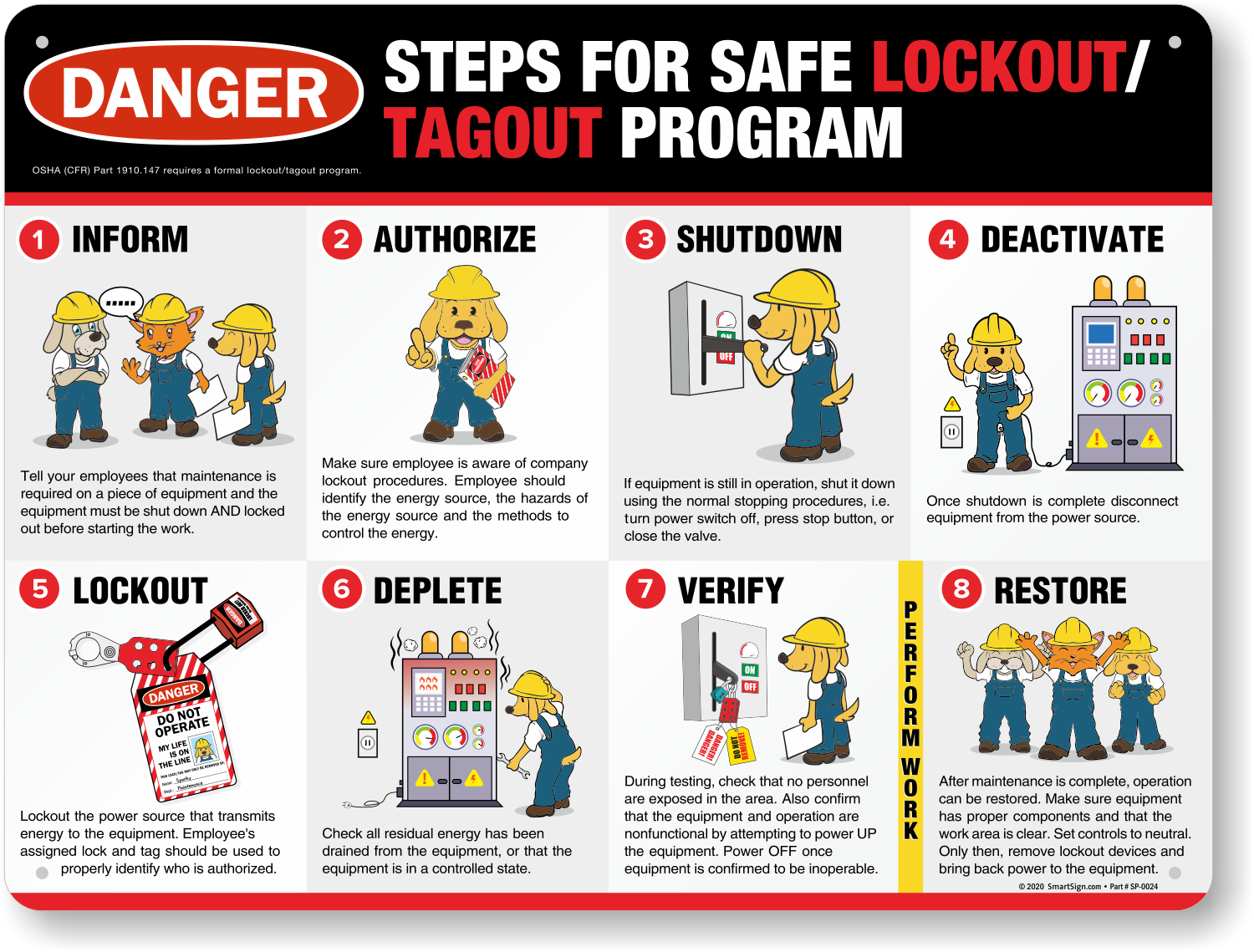
Lockout tagout isn’t just about slapping a lock on a breaker. It’s a structured process involving preparation, shutdown, isolation, application of lockout devices, verification, and finally, release. Each stage must be documented—especially when multiple employees are involved or complex machinery requires coordinated servicing.
Printable forms serve as:
- Standardization tools – Ensure every technician follows the same steps, regardless of experience.
- Legal records – In the event of an audit or incident, documented LOTO forms prove due diligence.
- Communication aids – Clearly identify who locked out the equipment, when, and why.
- Training reinforcement – New hires learn the procedure by following a physical checklist.
Without a standardized form, verbal handoffs and memory-based practices introduce risk. One missed valve or an unverified zero-energy state can lead to catastrophe.
Example: In a Midwest manufacturing plant, a mechanic bypassed a faulty conveyor’s interlock. A colleague, unaware of the ongoing maintenance, restarted the system remotely. The resulting injury led to a $120,000 OSHA fine—directly tied to missing LOTO documentation.
Printable forms eliminate ambiguity. They create accountability.
What Should a Printable Lockout Tagout Form Include?
Not all LOTO forms are created equal. A poorly designed template can be as dangerous as no form at all. The most effective printable versions include the following core sections:
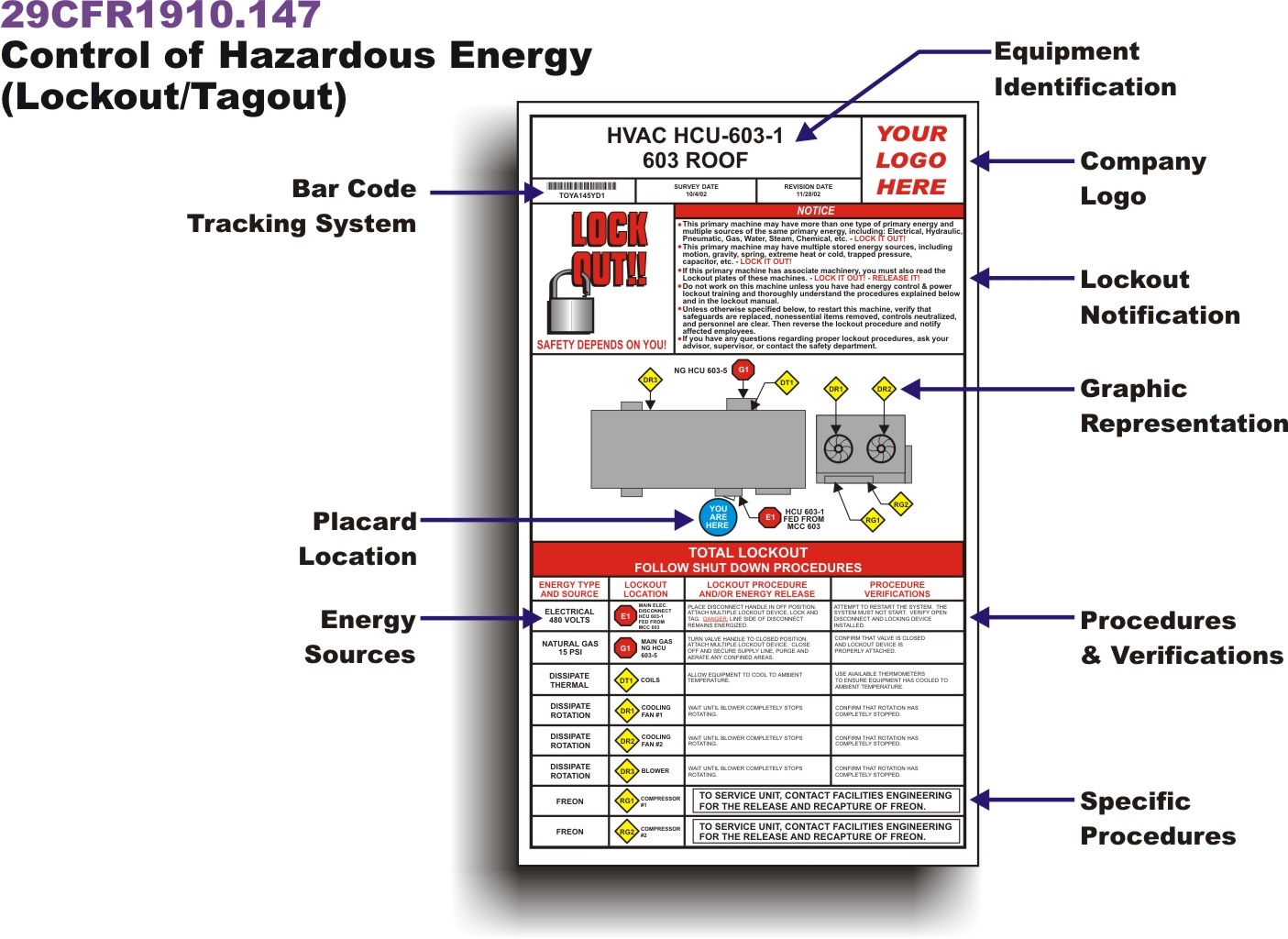
Equipment Identification
- Machine name
- Location (department, floor, station)
- Equipment ID number
Energy Sources List each type of hazardous energy present:
- Electrical
- Hydraulic
- Pneumatic
- Mechanical
- Thermal
- Chemical
Each source should have a designated lock point and isolation method.
Authorized Personnel
- Name and signature of the employee performing lockout
- Time and date of lock application
- Department or crew
Lock and Tag Details
- Number and type of locks applied
- Tag numbers and warning message (e.g., “Do Not Operate – Maintenance in Progress”)
- Location of each lock point
Verification of Zero Energy A dedicated space for confirming that the equipment is de-energized: - Test method used (e.g., voltage tester, bleed-down procedure) - Verification signature
Release and Re-energization
- Clearance checklist before removing locks
- Final sign-off by the locking employee
- Witness or supervisor approval (if required)
Notes Section For exceptions, special instructions, or multi-crew coordination.
Pro Tip: Use color-coded forms by department (e.g., red for electrical, blue for mechanical) to improve visual tracking on the floor.
Common Mistakes When Using Printable LOTO Forms
Even with the right template, human error can undermine the system. Watch out for these frequent missteps:
1. Using a Generic Template A one-size-fits-all form might list “electrical disconnect” but miss a hydraulic accumulator on a stamping press. Tailor forms to specific machines.
2. Skipping Verification Employees check a box for “verified zero energy” without actual testing. Require initials and tool used.
3. Allowing Shared or Master Locks Each worker must apply their own lock. Group lockout boxes help when multiple people are involved.
4. Poor Visibility Tagout tags placed out of sight or covered by insulation won’t warn others. Use high-visibility tags and secure them near control points.
5. Failing to Update Forms Machines get retrofitted. New energy sources added. Old forms become outdated. Audit templates quarterly.
Real-World Case: A food processing facility used the same LOTO form for two different mixers. One had a secondary gas line for cleaning. During maintenance, that line wasn’t locked out—leading to a gas leak. The form’s lack of specificity was flagged in the OSHA report.
Where to Get Reliable Printable Lockout Tagout Forms
You don’t need to design every form from scratch. Several trusted sources offer free, customizable, printable LOTO templates that align with OSHA 29 CFR 1910.147.
Here are five high-quality options:
| Provider | Key Features | Format | Customizable? |
|---|---|---|---|
| OSHA.gov | Official compliance templates, minimal design | Yes (editable fields) | |
| Creative Safety Supply | Color-coded, machine-specific templates | PDF, Word | Yes |
| SafetyStore.com | Includes multi-energy checklists and group LOTO | Limited | |
| J. J. Keller | Industry-specific forms (manufacturing, utilities) | PDF, online tool | Yes |
| Enablon (by Sphera) | Digital + printable hybrid, audit-ready | PDF, integrated platform | Yes |
Best for most teams: Creative Safety Supply offers the best balance of usability and customization. Their forms include visual icons, checklist logic, and space for diagrams.
Best for compliance officers: OSHA.gov’s template is legally defensible and widely accepted during audits.
Avoid random blog downloads. Unverified forms may omit critical fields or misrepresent OSHA requirements.
How to Customize and Implement LOTO Forms in Your Workflow
Getting the form is only step one. Integration into daily operations is where most programs fail.
Follow this implementation checklist:

- Conduct a Machine Audit
- Walk through each piece of equipment. Identify all energy sources and lock points. Photograph each isolation point.
- Create Machine-Specific Forms
- Use a base template, but customize it per machine. Add photos or diagrams showing where locks go.
- Train Employees
- Don’t just hand out forms—walk through them. Run a mock LOTO drill using the printable version.
- Print and Distribute
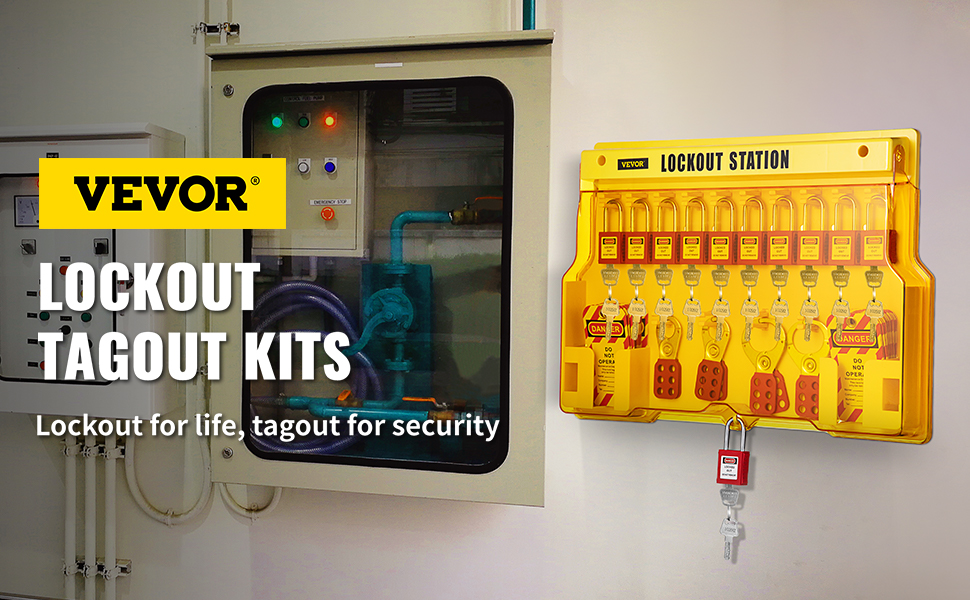
- Keep forms in waterproof folders near equipment or in lockout stations. Laminate master copies.
- Integrate with Permit Systems
- Link LOTO forms to work permits. Require completed forms before issuing a maintenance ticket.
- Audit Monthly
- Pull random forms. Check for completeness, signatures, and proper verification.
Workflow Tip: Print forms on carbonless duplicate paper. The original stays with safety records; the copy goes with the work order.
Facilities that treat LOTO forms as living documents—not static PDFs—see a 60% reduction in near-misses (per NSC data).
The Role of Printable Forms in OSHA Compliance
OSHA doesn’t mandate a specific form format. But it does require that your energy control program includes written procedures, employee training, and periodic inspections.
Printable LOTO forms serve all three:
- Written procedures are embedded in the form’s step-by-step layout.
- Training is reinforced every time an employee fills one out.
- Inspections rely on completed forms as evidence of compliance.
During an OSHA inspection, investigators will ask to see:
- Completed LOTO forms from recent maintenance
- Machine-specific procedures
- Training records tied to form usage
Having well-documented, printable forms makes passing an audit significantly easier. In fact, facilities with standardized documentation reduce citation severity by up to 45% (OSHA Preliminary Data, 2023).
Note: Even if you use digital LOTO systems, printable backups are essential during power outages or software failures.
Making Printable LOTO Forms Work in the Real World
A form is only as good as its adoption.
To boost compliance:
- Keep it simple: Avoid clutter. Use checkboxes, not paragraphs.
- Use durable paper: Laminated or weatherproof stock lasts longer in harsh environments.
- Store them accessibly: Hang forms in lockout stations or include them in maintenance kits.
- Review annually: Update forms when equipment changes or incidents occur.
Also consider pairing printable forms with physical tools: - Lockout hasp kits - Tagout tags with writable surfaces - Group lockboxes with employee-specific locks
The combination of physical hardware and documented procedure creates a culture of safety that outlasts any single policy.
Printable lockout tagout forms are more than compliance tools—they’re frontline safety instruments. When designed with precision and used with discipline, they prevent accidents, protect workers, and shield organizations from liability.
Don’t rely on memory or verbal agreements. Download a proven template, customize it for your equipment, train your team, and make documentation part of every maintenance cycle.
The few minutes it takes to fill out a form could save a life.
FAQ
What should you look for in Printable Lockout Tagout Forms for Safety Compliance? Focus on relevance, practical value, and how well the solution matches real user intent.
Is Printable Lockout Tagout Forms for Safety Compliance suitable for beginners? That depends on the workflow, but a clear step-by-step approach usually makes it easier to start.
How do you compare options around Printable Lockout Tagout Forms for Safety Compliance? Compare features, trust signals, limitations, pricing, and ease of implementation.
What mistakes should you avoid? Avoid generic choices, weak validation, and decisions based only on marketing claims.
What is the next best step? Shortlist the most relevant options, validate them quickly, and refine from real-world results.